



I’ve been working on my “Shack in a Box” / “Gobox” for a couple years. The idea behind this is to have both my HF and VHF/UHF radios in a single portable case that can be used both from my desk as well as the field.
This setup allows me to run voice and digital modes on HF using a Yaesu FT-450D (hooked up to a Signalink) and voice and packet/aprs on VHF/UHF with a Kenwood TM-D710G. both radios are hooked up view Serial/USB cables to a Linux laptop. I use fldigi, direwolf, yaac and other applications under Linux to use the radios. I’m investigating moving to a RaspberryPi w/ wifi and screensharing to a tablet from the gobox, but haven’t made the leap yet.

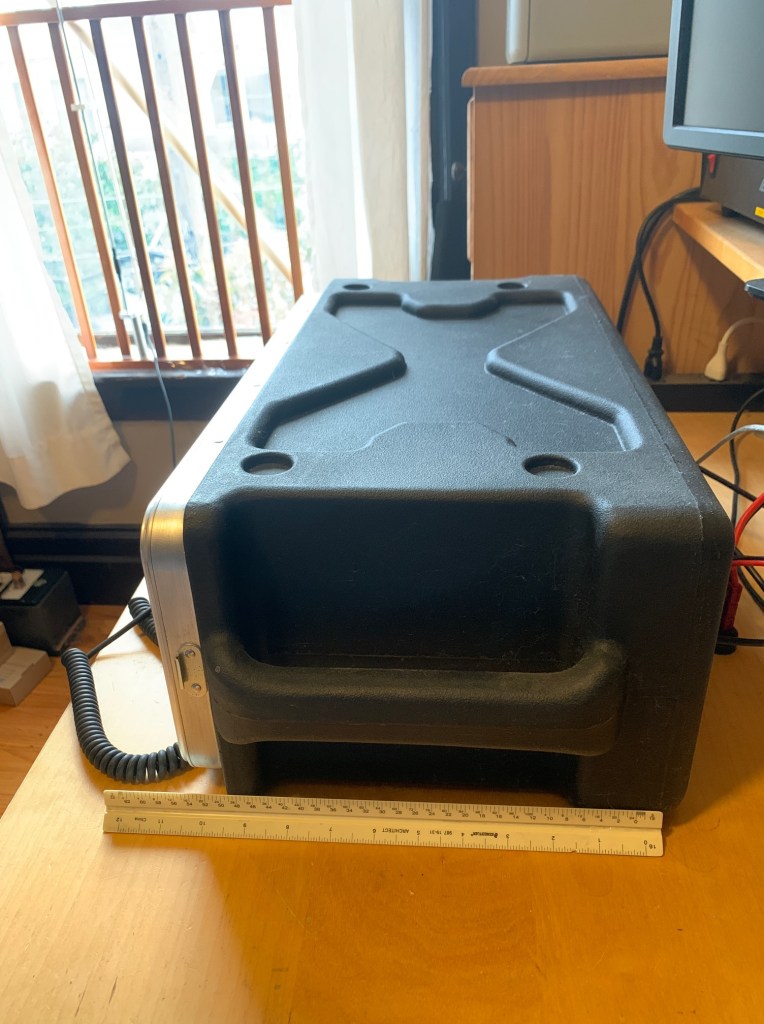
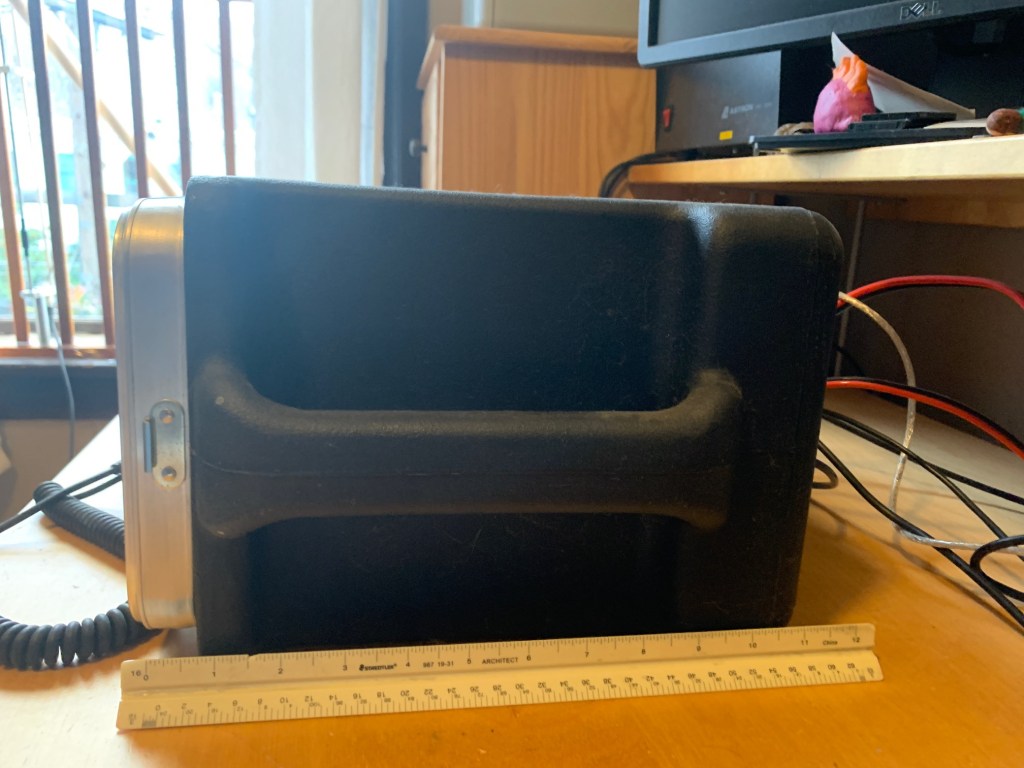
I have tried a few different cases and settled on a 3U Shallow rack case, this discontinued SKB 3u shallow 1SKB-XRACK3 rack case. I originally used a 4U full sized deep rack case with a power conditioner with pull out lights, and full sized power management / distribution and battery charging. I found that this original setup was way too heavy and dominated my desk.
The 3U shallow rack fits under a desk riser nicely and is many pounds lighter. I moved my battery charger (a West Mountain PwrGate) to my battery box.
I found I had to “dremmel” the back a little to create half moon shaped cutouts for the serial and audio connectors.

My box contains the following items:
Tonight is the annual Light up 2 Meter’s simplex night.
Always a fun night, talk to the folks in your general area on 2 meters simplex, no repeaters, just your radio and antenna.
Here is the info from the “official” page
Light Up 2 Meters Night
An FM Simplex Event
Sunday, August 30, 2020 6PM to 8PM Local Time
On and around 146.52 MHz
https://www.facebook.com/2MFMSimplex/
Almost every amateur radio operator has a radio that is capable of to meter FM Simplex, it could be a handheld transceiver or an all mode fixed station with stacked vertically polarized yagis, it is the most common band/mode that can connect all amateurs. Whether you operate out in the field, from your mobile, or in your shack, Light Up 2 Meters Night is an opportunity to make new contacts, give your equipment a test, and maybe learn a thing or two about your equipment’s capabilities, so join us for the fun on August 30 at 6pm local time.
Since most 2 meter FM simplex operation is local, your frequency may vary, 146.52 is a good start in most of the USA, however, most simplex activity may be on a different frequency in your local area. The event time is also local, 6PM to 8PM in the time where you are, you don’t have to limit your operations to this time, especially if you are on the edge of a time zone, it is just a window to concentrate the on the air activity so that many contacts are made.
This is not a contest, but you are encouraged to share your experiences with others, via your local nets, clubs, social Internet platforms, etc. So, keep a log of your contacts, share a picture of your station, or maybe take a video of a good simplex contact being made. The purpose is to bring hams together on a common band mode, to find out our station’s capabilities, to make new contacts, and to have fun.
If you have a Kenwood TM-D710G you’ll be happy to know that CHIRP supports it for programming its memories. You may encounter a mostly silent error when trying to read/write to the radio which I’ll outline here.
If you are using CHIRP and see that the radio silently fails on reading or writing, one of the main causes is that you have the Serial cable connected to the face plate instead of the main radio unit.
Here is how to troubleshoot:
You can use the packet radio TNC fine with your serial cable on your machine.
In this file you will find an error message similar to the following:
Exception: Radio reports TM-D710GP (not TM-D710G)
This issue is reported in the CHIRP defect#1287
https://chirp.danplanet.com/issues/1287
Solution to this: Use the serial port on the back of the radio main unit, not the serial port on the face plate.
I have a small Chromebook where I have installed Linux that I use as my amateur radio computer. I like the small form factor and that it’s battery lasts for 6-8 hours. Recharging in the field it is a pain since it has a 19V power supply. I bought a 12V to 19V boost convertor that I need to wire up one of these days.
It was time to update my installs of Fldigi, wsjtx and various other digital modes and I soon discovered that the standard places to get linux packages apparently haven’t been updated in many years. This is disappointing and something I think organizntions like the ARRL, TAPR and others should try to support / encourage. (Maybe I’m totally overlooking something obvious, let me know if so!)
Here’s what I ended up doing to get the latest version of Fldigi working under Ubuntu.
I download the source bundle from http://www.w1hkj.com/files/fldigi/
In my case the latest was
I download this and then extracted the source
tar -xf fldigi-4.1.14.tar.gz
cd fldigi-4.1.14
I then ran the configure scripts to figure out what else I needed to download / install
./configure
Everyone’s system is going to be different so your error messages and missing dependencies will vary from mine.
I ended up doing a series of installs and compiling steps to get all the dependencies installed.
You may have luck using apt-get to install the dependencies though may need to play around with the naming conventions to find the right package.
For example, I needed libpng according to the build errors, but to satisfy that requirement I need to install libpng-dev
sudo apt-get install libpng-dev
Other dependencies needed the pre-fix “lib” put in the front of it or the “-dev” suffix added to the end. In some cases a version number needed to be added like for “libportaudiocpp0”
once the dependencies were satisfied
make clean

sudo make install
It took a bunch of iterations but I was able to get the latest Fldigi running on my system. Audio configuration is STILL a pain under Linux, “with great flexibility comes great annoyance”, and ate a few more hours of my life!
I had a chance to make a Pandemic day trip to Pinnacles national park this wee and spent the night in the main camp ground. I didn’t have a lot of time to play radio unfortunately, I did get a chance to try to hit the repeater from the campsite.
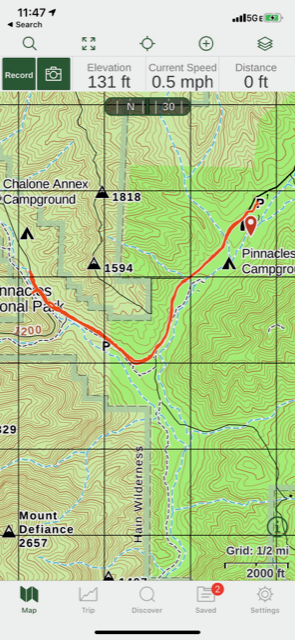
The repeater with the best?/closest? coverage appears to be the South County-VHF – Pinnacles” repeater:
While I was not able to get into the repeater from the camp ground with my stock antenna, once I put my rollup j-pole over a tree branch at the picnic table I was able to raise the repeater. My guess is that I wouldn’t be able to depend on my rubber ducky while hiking around the park, but if I was on a peak or brought along my j-pole I’d be fine.
I didn’t try to bring anyone up on 2m simplex since the park was pretty empty, though would have if I had gone hiking along the peaks / ridge line.
I brought along the FRS radios for the family and they worked very well on our various bike rides around the park. We got about a mile or two from the campsite and were always able to get a good link back and forth. (We were able to talk anywhere along the right hand side of the V in the map above.) My guess we’d have a tougher time on the other side of the V due to how the hills and valley are aligned.
I set up my Yaesu VX-8R to listen to shortwave as we lay down to go to sleep but fell asleep as soon as the lights went out so no report there!
Pinnacles was already 90-100 degrees during the day at the end of June, though at night it got cooler (sweatshirt and pants weather). Dangerously hot during the day. We did some bike riding, but mostly stayed under a tree with a blanket and read during the heat of the day.
Saw people walking the trails along the road but no one on the ridge lines. My guess if people were up there it would only be in the early morning or evening. Hard to carry enough water to make it up there and back,
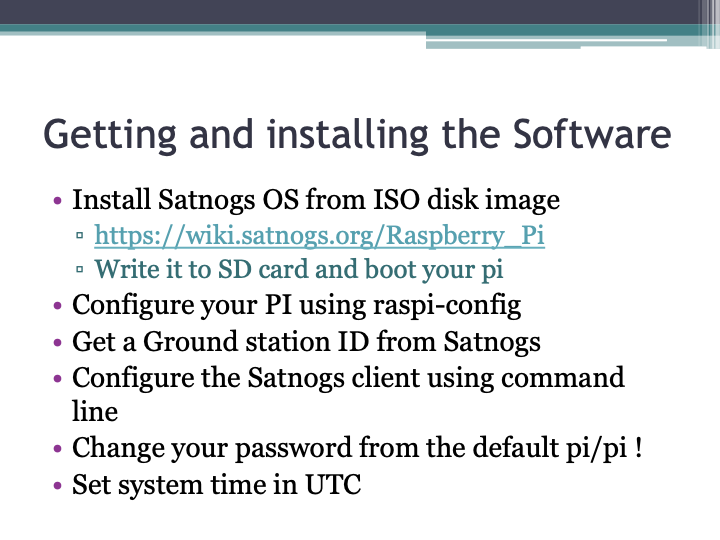
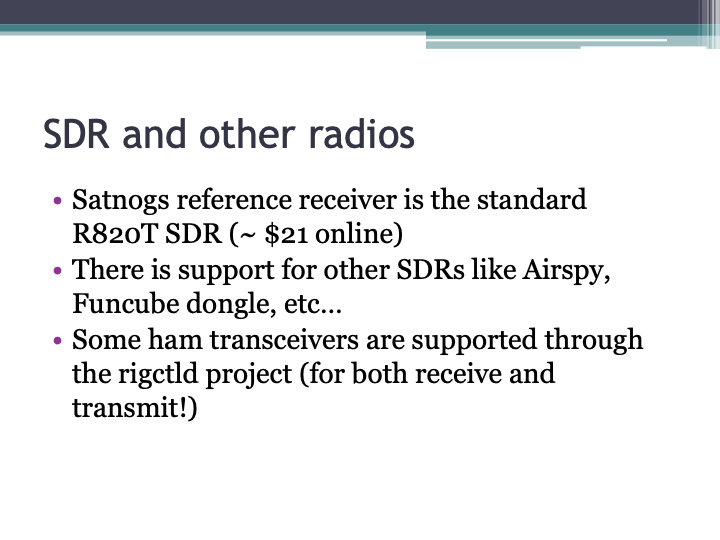
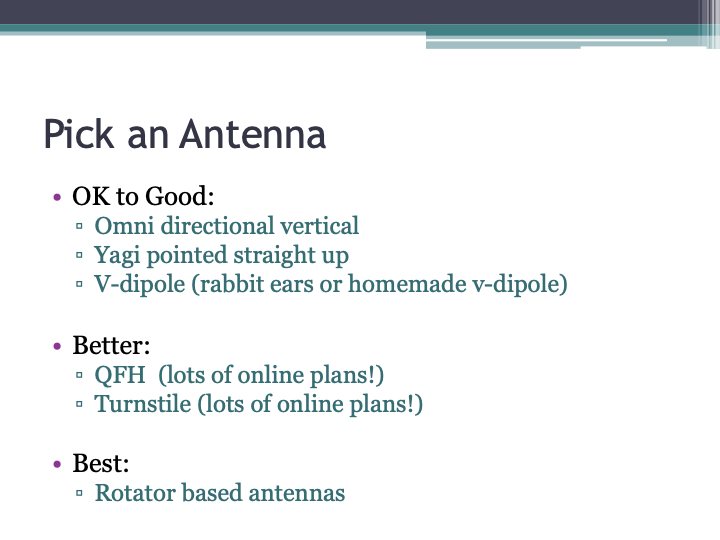
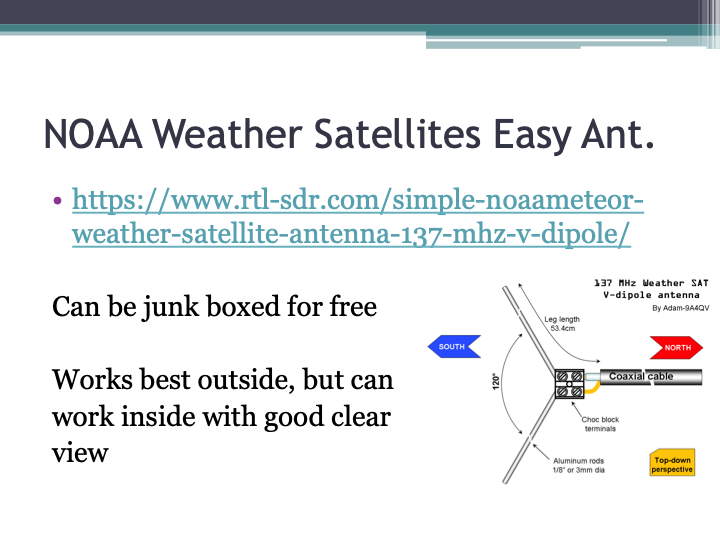
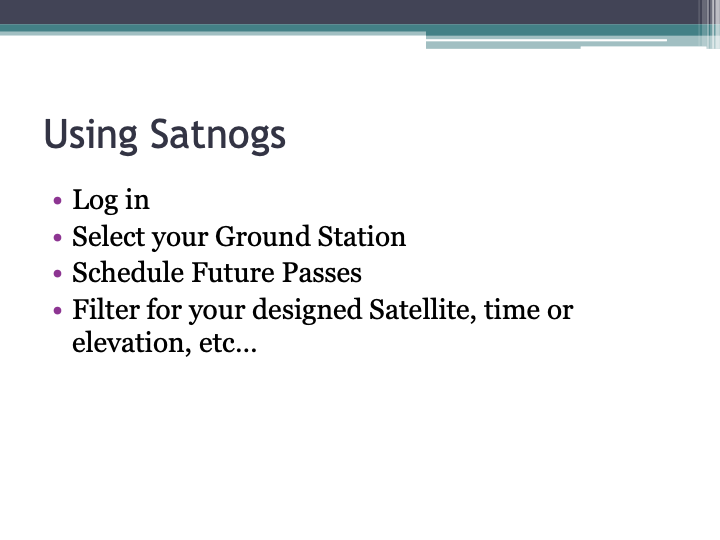
This past weekend I had the opportunity to present an Introduction to Satnogs to the San Francisco Amateur Radio club. I’ve added images of the slides to this post and also provide the original Powerpoint presentation as well. This presentation is licensed under the CC-BY license, please feel free to use as desired as long as credit is retained. If you are interested in having me present this to your club or organization over screen share / video conference please let me know.
The link below should allow you to download the slides in Powerpoint PPTX format:





Ironically enough I went out and got a new WRT54 in order to flash HSMM onto it in order to play around with mesh networking again. The problem is the WRT54 I got at the thrift store for $1 was broken / bricked. I was not able to ping it or upload flash. I tried EVERYTHING from every guide and was about to e-waste the box when I read about the “grounding pin 16” technique. This basically means you open the box, ground pin 16 to the antenna ground using a short piece of wire and plug it in. At that point you can use the tftp command to upload a new firmware. I needed to put a SMALL version of dd-wrt firmware on it and then go to HSMM since I was getting upload failures / too large errors going straight to HSMM. I believe I needed to use the NVRAM clearing functions in dd-wrt in order to wipe out memory or bad flash settings blocking the hsmm upload. After I did that I had no more problems.
You can find pin 16 instructions in many places like http://www.thenorth.com/apblog4.nsf/0/668D65A56B02BB4B852570A400535F16
This past weekend I took a short trip to Yosemite National Park. I brought my 2m radio (Yaesu VX-8R) and programmed it with the local repeaters and simplex frequencies. As I went hiking (and biking) around the Valley I mainly stayed on the 2m calling frequency (146.52) with a few trips over to W6BXN repeater. I’m sad to say I heard no traffic at all over the entire weekend. I couldn’t hit the repeater using my handheld from the valley floor or when hiking on the peaks. On simplex I never heard any other callers and never got a call back from any requests on .52.
On the attached map I placed a star for each location I tried calling on 2m simplex or attempting to get into the W6BXN repeater. Next time I go I’ll try with a mag mount or j-pole but this trip didn’t leave much time for experimenting.
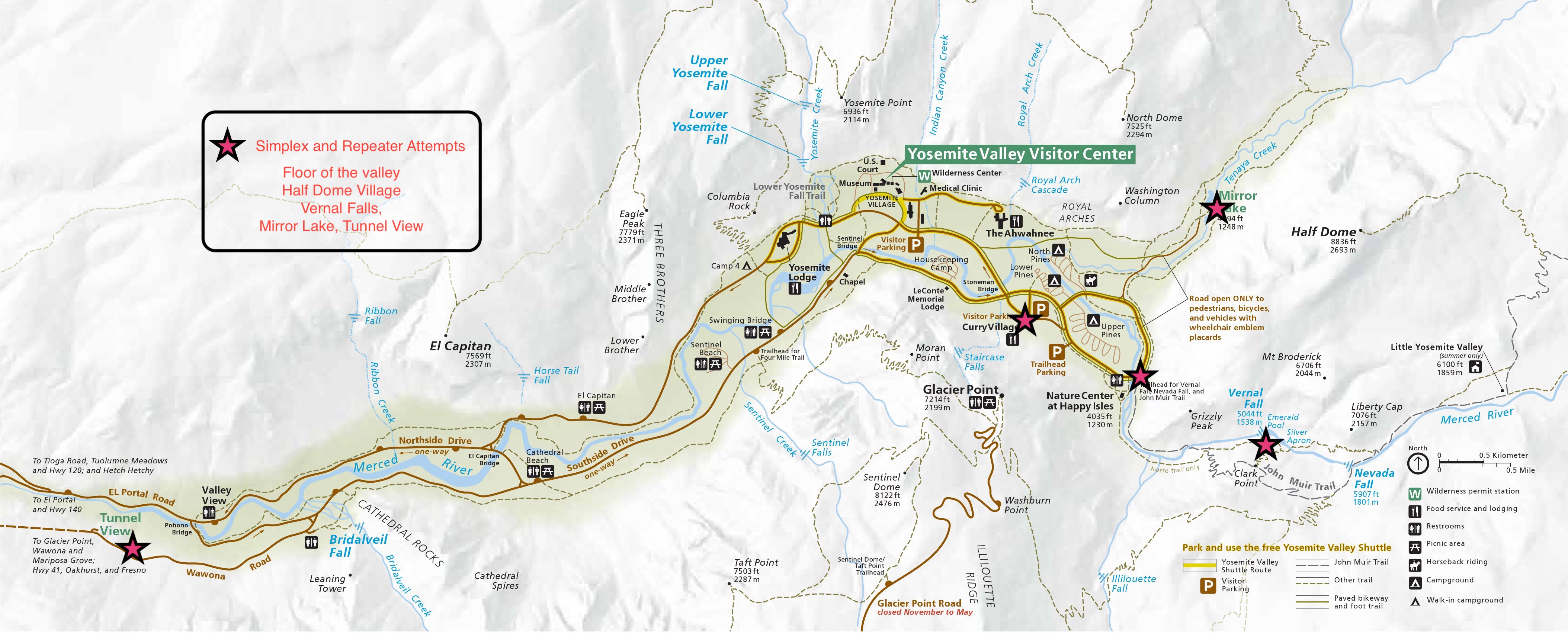
I try to always have .52 on when I am hiking but have only once heard anyone calling and that was during the Great Solar Eclipse driving chaos in Idaho! It’s quite possible that an HT just doesn’t have a good enough antenna to send and receive well enough (esp in the Valley or Forest) but I strongly encourage all hams to get in the habit of monitoring it.
This March 24, 2019 from 6pm – 8pm local time will be the Spring version of “Light up 2 Meter Simplex”. the aim of this event is to get on 2 meter simplex and chat with other hams. A common place to start is the national calling frequency of 146.52 Mhz (no tone and no offset) Also any other simplex frequency is great as well.
A list of 2m simplex frequencies (for California area at least) can be found here.
 N2TIQ's radio blog