How to fix Motorola SX700 that won’t charge in the drop charger!

I was going though my pile of radios and found my Motorola SX700 FRS radios from 2005 or so. I had new replacement NiMH batteries and put them in. When putting the radios in their drop chargers, one charged nicely (lighting the red LED on the AC/DC adapter) while the other one would not cause the red LED to light unless I pushed it hard into the charger.

What the problem with my radio was that both metal springs on the battery DOOR needed to be pulled slightly out, once I did that the drop charger charged the radios as expected.

Replacement battery for Braceus Digital LCD clock

A couple years ago I purchased a small inexpensive digital clock for my radio go box. I typically keep it in UTC time. Recently the battery died and I went to replace it but lost the original battery before I had a chance to order a new one. Certainly the battery type will be written on the clock or on the product page I said to myself! NOPE! I had some button batteries that were the correct diameter but too thick to close the battery door. This post is to help anyone else in my same situation. If you have a small digital clock that says “Quartz” and has a white band around the display and was sold on Amazon with the name “Braceus Digital LCD Screen Table Auto Car Dashboard Desk Date Time Calendar Small Clock” or similar with a variety of other names on Walmart or aliexpress, etc…

The clock takes LR1130 or AG10 Battery 1.5V Long-Lasting Alkaline Button Cell Batteries.

Getting photos off a 15 year old flip phone with BitPim in 2024

My mom wanted us to get the photos off her old 15 year old flip phone, a LG VX 5600. This phone no longer had service, no ability to get service and had no easy way to copy images off the device to a computer. I did some research and saw 2 good Open Source choices that might work BitPim and Wammu/Gammu.

At first I wasn’t able to get either working on a modern computer (windows, linux or MacOS) All failed for various reasons but mostly due to weird error messages and incompatible or missing libraries.

I remembered I had an old laptop that could run Windows 7 and decided to go back in time. Here’s the steps I found that allowed me to copy the photos and SMS messages off the device.

  1. First I installed Windows 7 onto my old Celeron laptop, I had a key but it wouldn’t take it so I left it in unregistered mode
  2. Internet Explorer was installed but had a lot of difficulty in going to many modern web sites (maybe due to certificates / etc..)
  3. I used IE to download Supermium, a Chrome fork for old windows OS versions. https://github.com/win32ss/supermium
  4. I used this to download the LGUSBModemDriver_WHQL_Eng_Ver_4.8.1.exe installer for the LG driver required for BitPim to talk to the phone. I used a possible dodgy site to get a copy since the LG site was crashing my browser no matter what I did
  5. I installed the driver and rebooted
  6. I downloaded BitPim 1.0.7 for Windows and installed it
  7. It needs a couple MSVC DLLS which I needed to go to various places to download, mostly for MSVCP71.DLL You’ll have to find a copy of this file on the various dodgy sites as well
  8. I copied that DLL file into the BitPim directory
  9. I plugged in the phone using a USB cable and started BitPim
  10. Make sure the phone is flipped open and turned on
  11. I used Edit->Detect Phone to make sure the phone was visible to BitPim and Windows
  12. I then went to Edit->Settings and selected Phone Type: LG-VX9100 (env 2) since I read that works well enough to copy photos and SMS messages from the phone in various threads even though BitPim doesn’t officially support the VX 5600
  13. I also checked the “Read Only” checkbox in the settings to block writing to the phone
  14. To download Photos: I then clicked on the Green arrow to Get Data from phone and select Wallpaper, it took a long time but the photos were copied over to BitPims local storage
  15. To download SMS I checked SMS from the Green Arrow Get Data from phone
  16. Do NOT check the Phonebook since it will likely crash BitPim
  17. Once the photos and SMS were downloaded to BitPim you can export them to your local disk
  18. It looks like you can navigate to BitPim->Phone->Media->images and then select all and right click to save… to a local destination
  19. I also used the File->Export Media to Zip file to export the photos to a zip file
  20. I then confirmed the photos I expected were in the zip file
  21. Export SMS in a similar way if desired
  22. You now have exported the photos and SMS from your LG VX 5600 to a computer! Hurrah! Copy them off your Windows 7 machine to save permanently.
  23. I couldn’t get the PhoneBook to copy off the phone without crashing BitPim possibly another LG phone in the settings would work, or possibly you code fix the source code. I didn’t care about the phone book so didn’t work too hard on this.
  24. Good luck!

Ham radio on my Eclipse roadtrip to NH

A little eclipse travelogue, a little emergency preparedness story. We travelled to New Hampshire from Boston to go see the eclipse yesterday and I brought 2 radios based on my experiences in Idaho during the last eclipse (That time we were stopped on highway with non-working cell phone network for 12 hours)

This Monday we thankfully got out right after totality and picked a location where we could be the front of the line instead of the back of the line [we stayed south of the main place people were going to give up 15 seconds on totality to save 6 hours of additional driving!]

Brought 2 handhelds, by Yaesu VX-8R for VHF/UHF voice and my Baofeng UV-5R+ for APRS position reporting and viewing via PocketPacket on the iPhone. Brought a single VHF/UHF mag mount and adapters to swap radios out if needed.

The drive went much quicker than expected and we didn’t end up getting stuck without cell phone or feeling like we didn’t know when we were going to move again. Waze seemed believable and got a signal enough to update periodically even in the White Mountains.

My friends left 20 minutes after us and their drive took 7 hours longer!

What worked:
I preprogrammed all of Vermont and New Hampshires repeaters into my radio using CHIRP
I have the standard simplex freqs and my local repeaters programmed in as well

What didn’t work well:
My good mag mount got pulled into 2 and I couldn’t get the SWR in the right place for my trip after reassembling
Used a backup magmount, but don’t know how well it worked and couldn’t get SWR below 2.x
Repeater management is still TOO hard in CHIRP esp if you are doing a road trip. I know there are a couple other apps, but I haven’t had good experiences with them in the past.
In Idaho I programmed a bunch in, but in the end used Repeaterbook’s pretty good OFFLINE GPS enabled iOS app and programmed the closest repeater by hand since I was stuck not moving anyway.
I used Repeaterbook’s online route planning dump, but ended up just programming ALL VT/NH repeaters since I was tired of playing around with CSV files, the exports seem broken but fixable from the website but I was tired.
I need to go out and buy a bunch of my “happy path” adapters. I have a million N to TNC or whatever, but always struggle to find the right SMA to UHF or SMA to BNC
Never got around to APRS since it wasn’t needed but might have been more interesting, heard some repeater traffic but being in the mountains it was very scratchy and my 5 watts couldn’t open any of the repeaters.
I kept crunching my coax in the window when trying to close my other window. I need to tape over the window control to prevent that next time or just close it in the door instead of the window.
In the end I was glad I had the radios, glad I didn’t need them, felt I could get some functionality from them if needed, but mostly it was a good planning exercise.

Next time:
Would bring my 25 watt VHF/UHF radio as my main voice rig
Bring the handheld as a backup
Need to label and tune all my mag mounts. I have too many that I’m not sure if they are 10m or 2m
Tape over window control to prevent damaging my coax by accidentally closing it all the way (edited) 

MagLoopTuner: A utility to help tune your magloop quicker

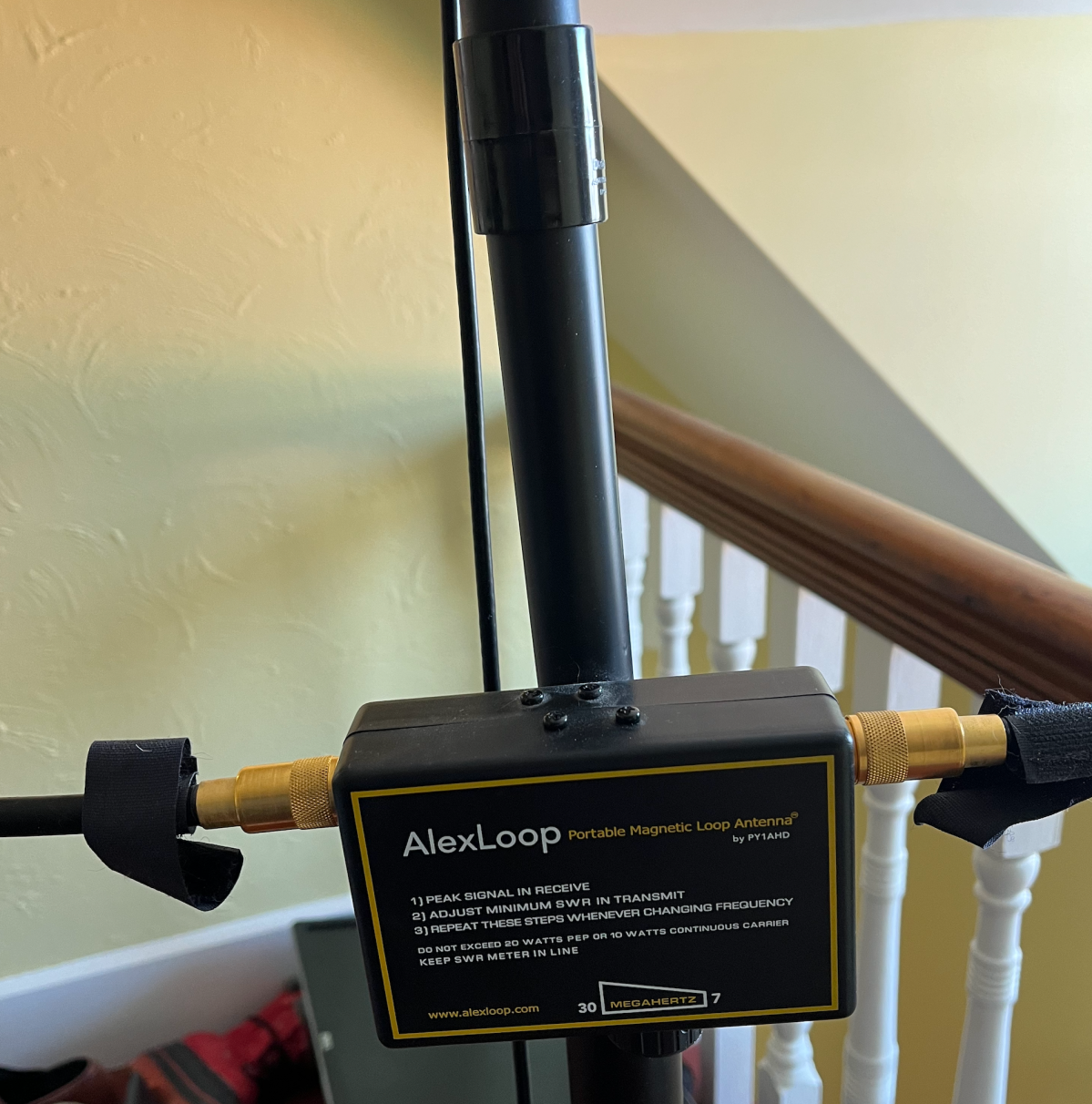
I have a AlexLoop mag loop antenna. My new shack has the antenna in the hallway outside my shack which makes it harder to tune the antenna. Typically I would watch the S meter on the radio’s front panel and using that and the highest noise be able to quickly get my antenna tuned. By moving it out of the room it became really hard to do the back and forth process to get it tuned correctly.

I wrote a small utility to make this process MUCh faster. This utility will read your radio’s S Meter using Hamlib and speak the value aloud to you once a second. Listen and Tune for highest S Meter reading. You can get the utility and instructions on my Github: https://github.com/jeff-luszcz/MagLoopTuner/

By default it is set up to use the FT-450D on /dev/ttyUSB0 and a baud rate of 38400. These can all be configured by editing the script.